






















Description
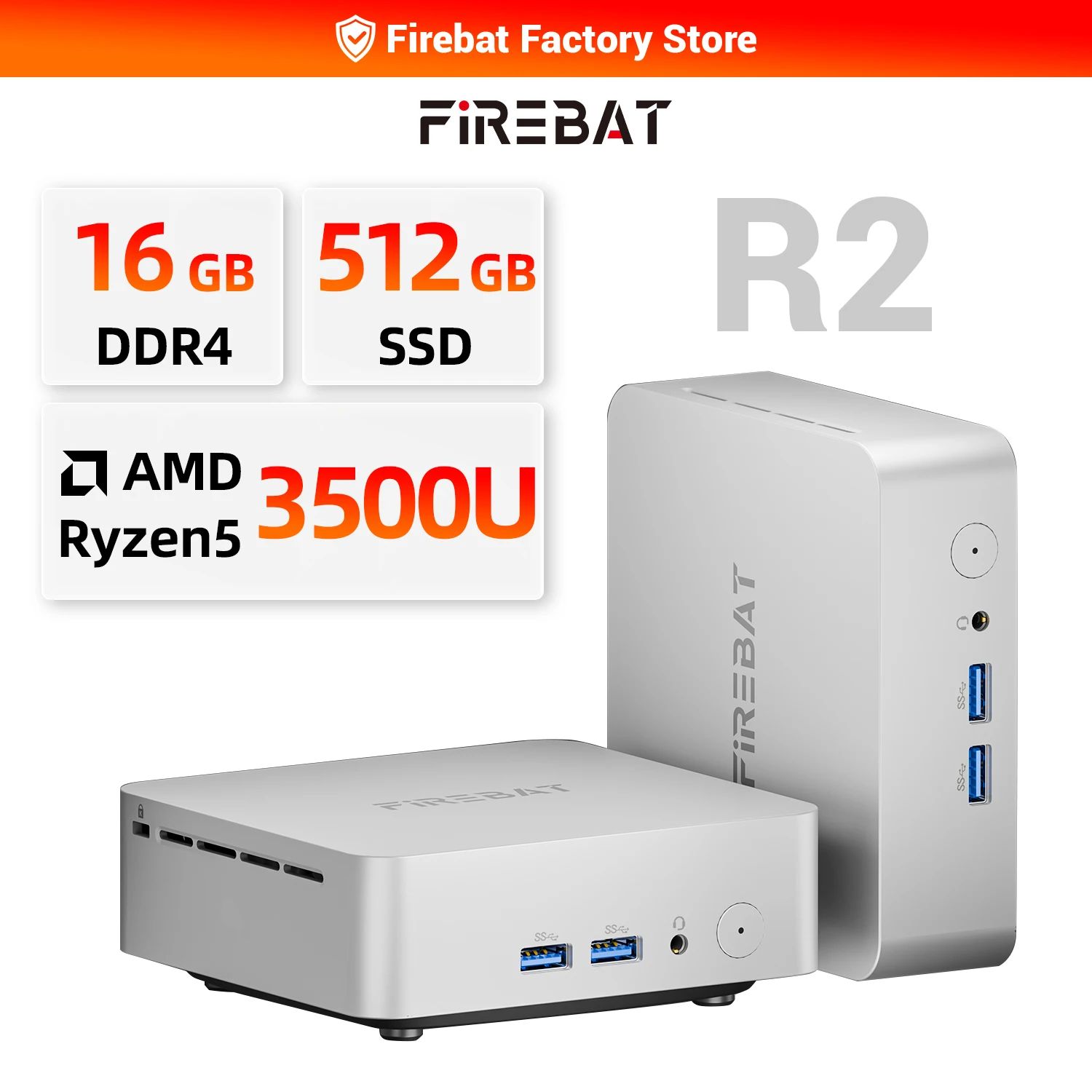
This FIREBAT R2 Mini PC review focuses on real-life daily use: office performance, upgrade options (RAM/SSD),
ports, dual-monitor workflow, and what to check before you buy.
The FIREBAT R2 Mini PC is a compact Windows desktop built for people who want a clean setup without a big tower.
Because it uses an AMD Ryzen 5 3500U, it’s a solid fit for office work, study, web browsing, media playback, and light multitasking.
Even better, this mini desktop is practical: upgradeable memory and storage, reliable wired LAN, and enough ports for everyday accessories.
Quick navigation
FIREBAT R2 Mini PC (Ryzen 5 3500U) — Quick Summary
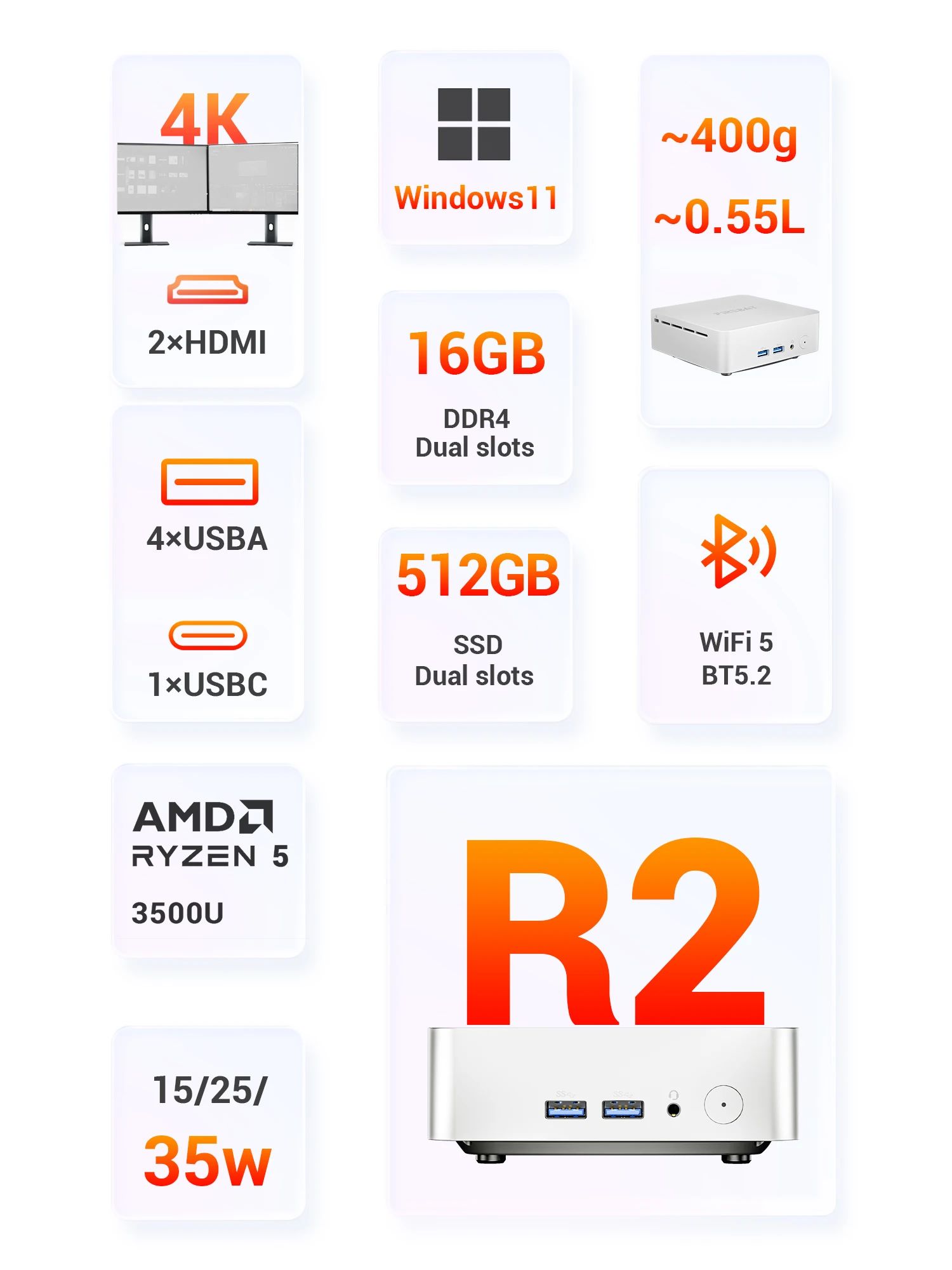
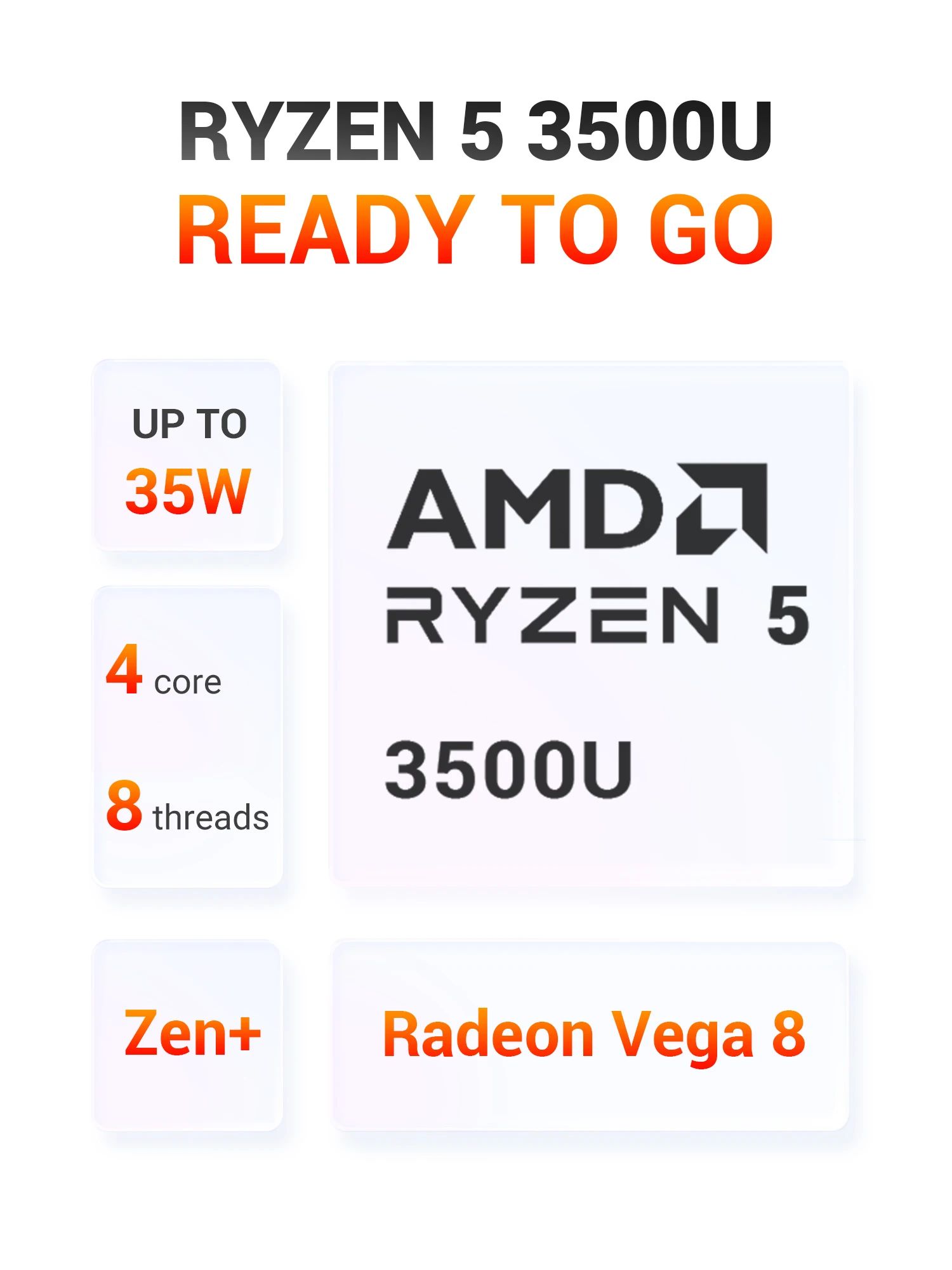
- CPU: AMD Ryzen 5 3500U (4 cores / 8 threads)
- Graphics: Radeon Vega 8 (great for daily use)
- RAM: Often 16GB DDR4 (dual slots, upgradeable)
- Storage: Often 512GB PCIe SSD (some versions support a second SSD)
- Display: Dual HDMI (dual monitor workflow, up to dual 4K depending on model)
- Network: Wi-Fi 5 + Bluetooth 5.2 + RJ45 LAN
Affiliate disclosure: If you buy through my link, I may earn a small commission at no extra cost to you.
FIREBAT R2 Mini PC quick specs (what matters)
Tip: If you’re buying the FIREBAT R2 Mini PC for multitasking, prioritize the variant with more RAM.
Also, SSD size matters if you store large files (projects, photos, offline media).
FIREBAT R2 photos (swipe left/right)
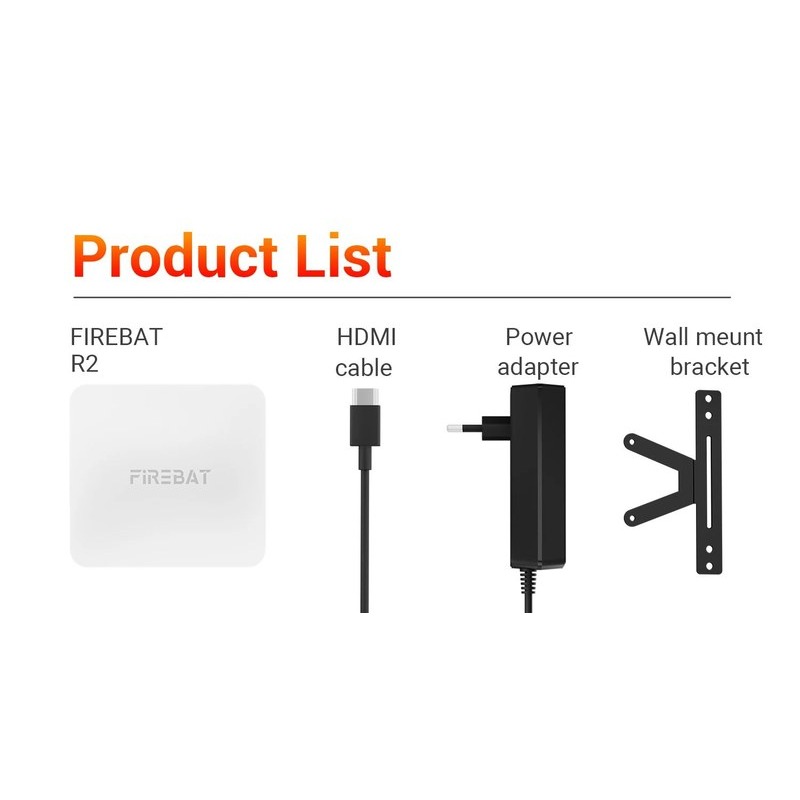
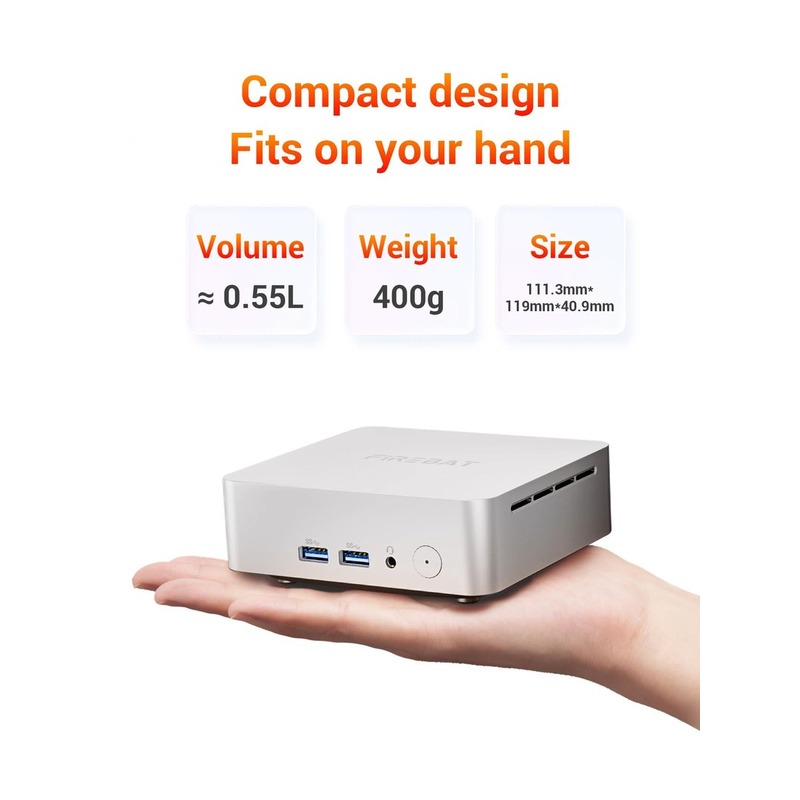
Below is a quick gallery showing the box contents, size in hand, ports, upgrades, cooling, and typical usage images.
On mobile, swipe. On desktop, scroll horizontally with your trackpad/mouse wheel.
Ryzen 5 3500U performance for office, study, and multitasking
At the core of the FIREBAT R2 Mini PC, you get an AMD Ryzen 5 3500U (4 cores / 8 threads).
In daily life, that means smoother multitasking: many browser tabs, Office apps, Google Docs, Zoom/Teams meetings, and light photo edits.
For students and remote workers, this is usually the “sweet spot” where everything feels responsive without paying for a big desktop tower.
However, if your goal is heavy AAA gaming or GPU-heavy rendering, Vega 8 is not designed for that.
In that case, you’ll want a mini PC with a stronger GPU solution or a full desktop with a dedicated graphics card.
External reference (official CPU page):
AMD Ryzen 5 3500U specifications.
Memory and storage upgrades (what to choose)
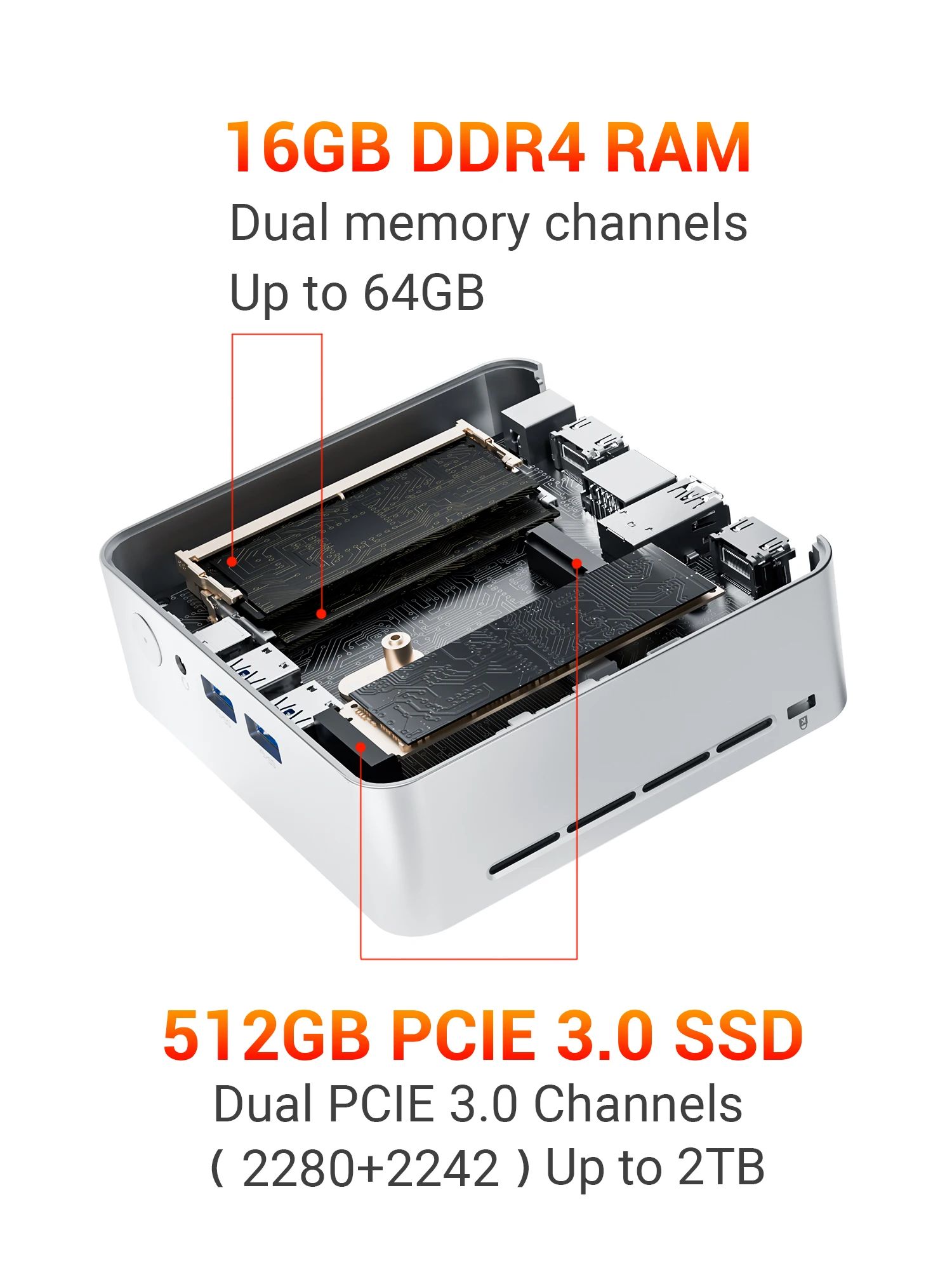
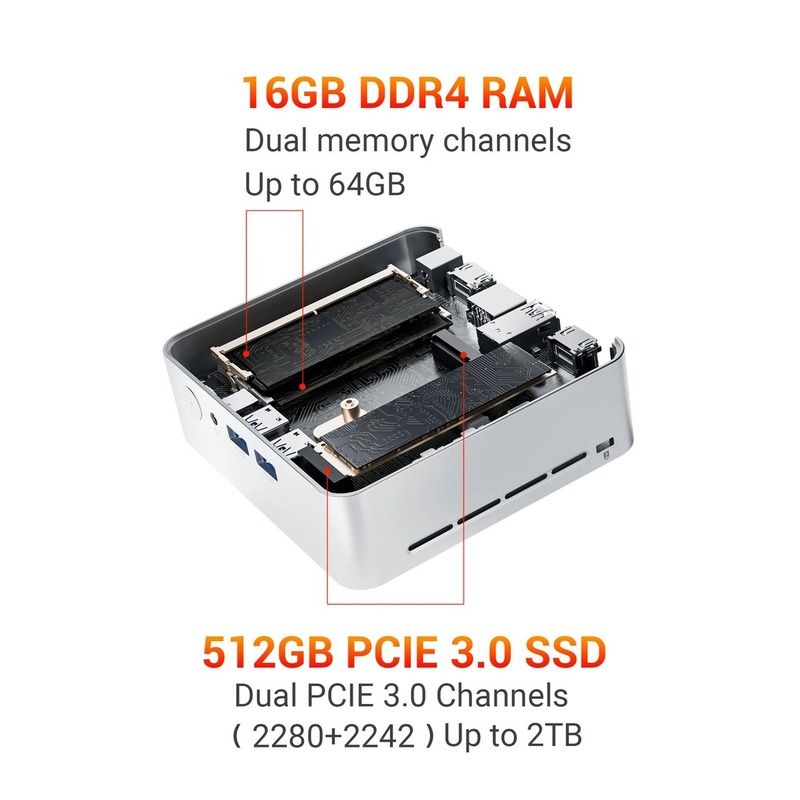
RAM: many listings ship with 16GB DDR4 and dual slots.
That’s important because it means you can upgrade later instead of replacing the whole mini PC.
If you run lots of apps at once (browser + Office + messaging + YouTube), extra RAM can make the system feel much smoother.
Storage: the common option is a 512GB SSD.
Some versions mention adding a second SSD, which is great if you want one drive for Windows/apps and another for files or backups.
Before buying, confirm the exact variant at checkout (RAM size, SSD size, and slot availability can vary by option).
Dual 4K display + ports you’ll actually use
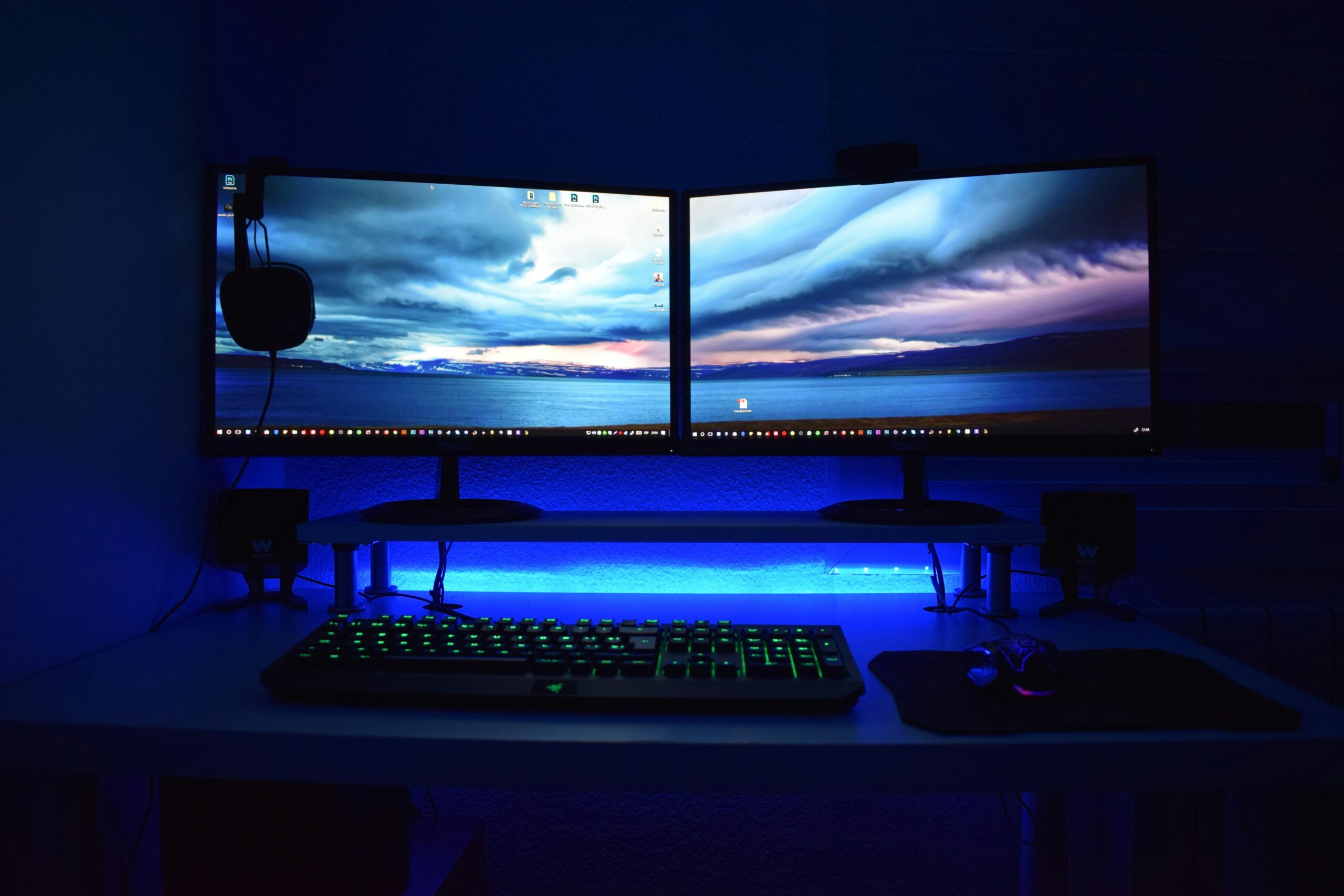
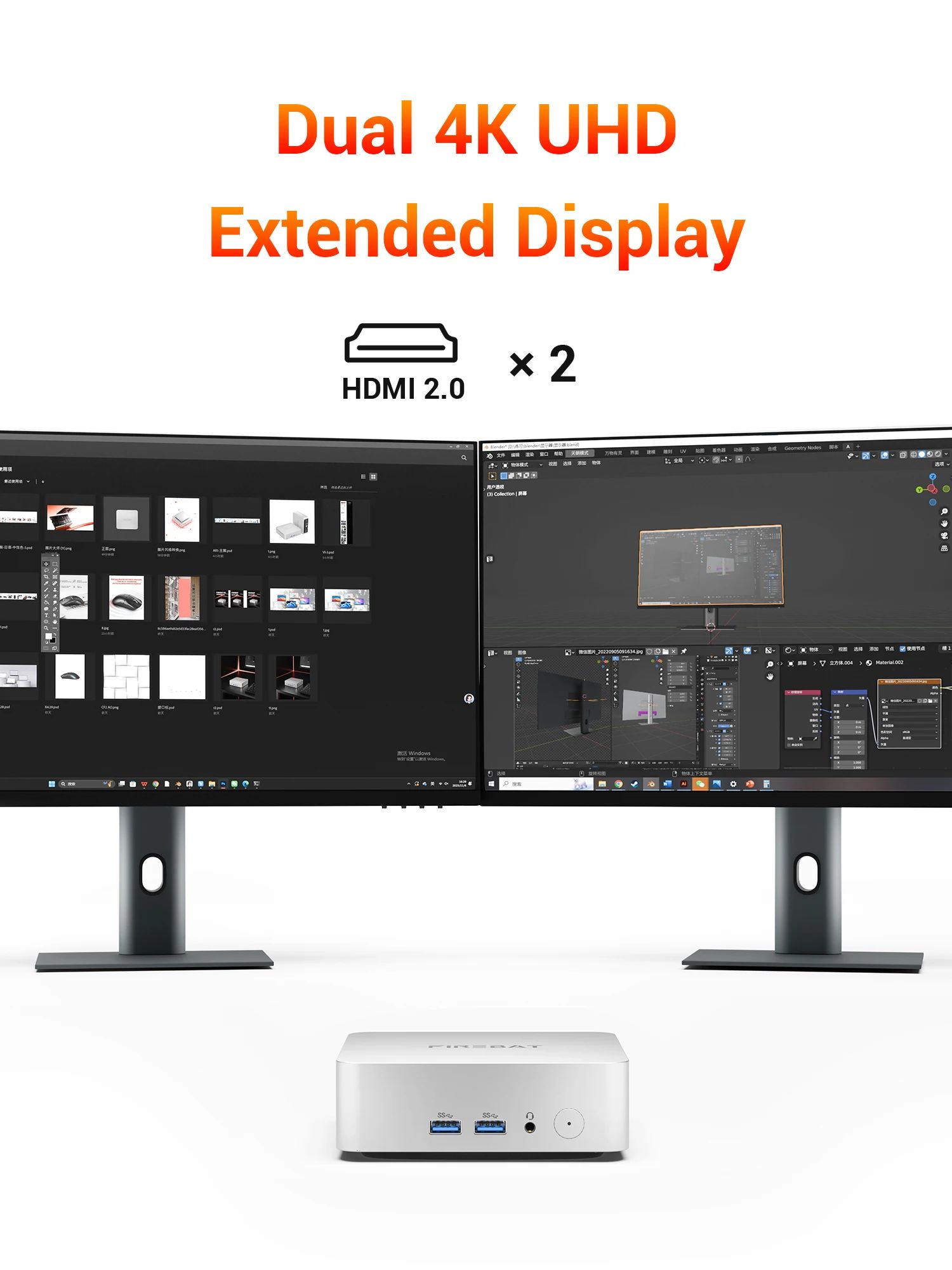
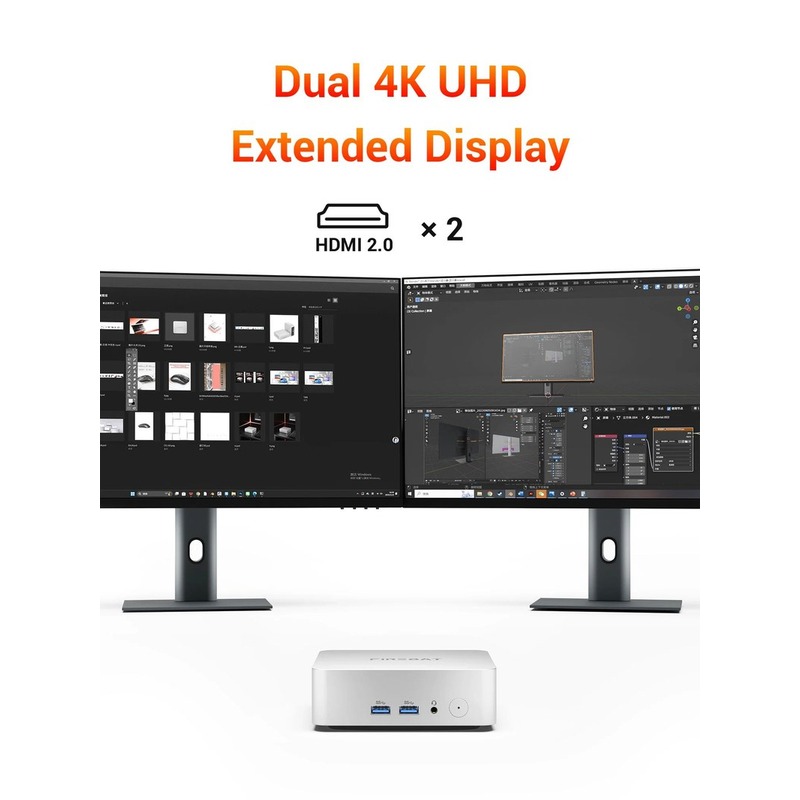
If you work with two screens, the FIREBAT R2 Mini PC is interesting because it supports dual HDMI.
This is useful for productivity: one screen for your main work and the other for chat, reference docs, dashboards, or video calls.
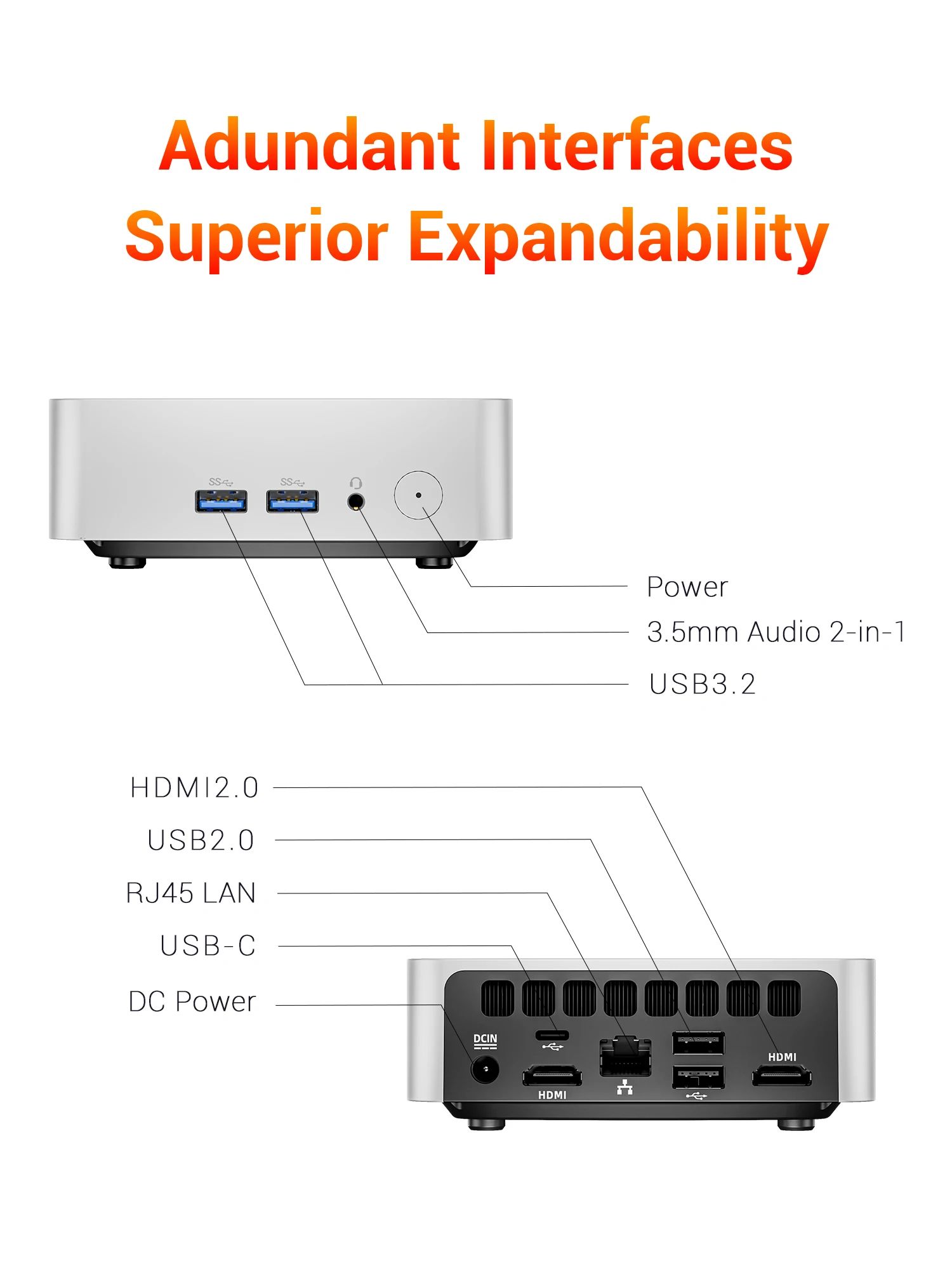
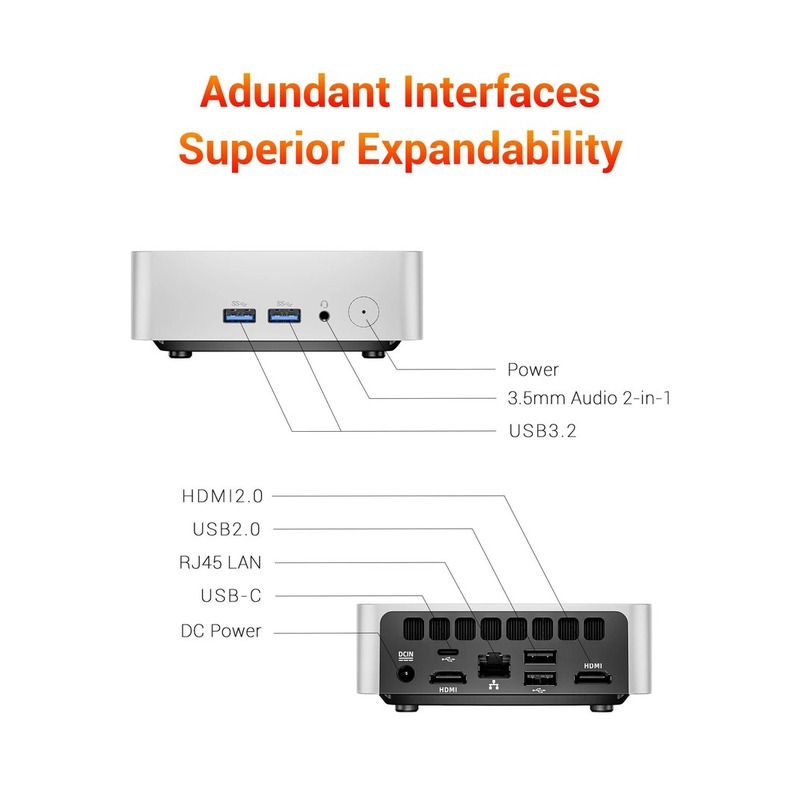
- 2× HDMI for dual monitors (always check the exact model details)
- USB-A for mouse/keyboard, storage, printers, accessories
- USB-C for modern peripherals
- RJ45 LAN for stable wired networking
- 3.5mm audio for speakers/headphones (varies by version)
- Wi-Fi 5 + Bluetooth 5.2 for wireless accessories
Power modes (15W / 25W / 35W): what they mean
Many listings mention three power profiles (15W / 25W / 35W).
In simple terms: lower power can mean quieter operation, while higher power can help performance during heavier multitasking.
If you use the FIREBAT R2 Mini PC for meetings, browsing, and Office, the balanced mode is typically the best everyday choice.
Before you buy: 6 quick checks that avoid mistakes
- Confirm the exact variant: RAM, SSD size, and whether a second SSD slot is supported.
- Check the ports list: USB count and USB-C support can differ between versions.
- Windows version: verify if it ships with Windows 11 (or if you need to install yourself).
- Power adapter plug: make sure it matches your country (or plan for an adapter).
- Dual monitor needs: confirm both HDMI ports match your screens and cables.
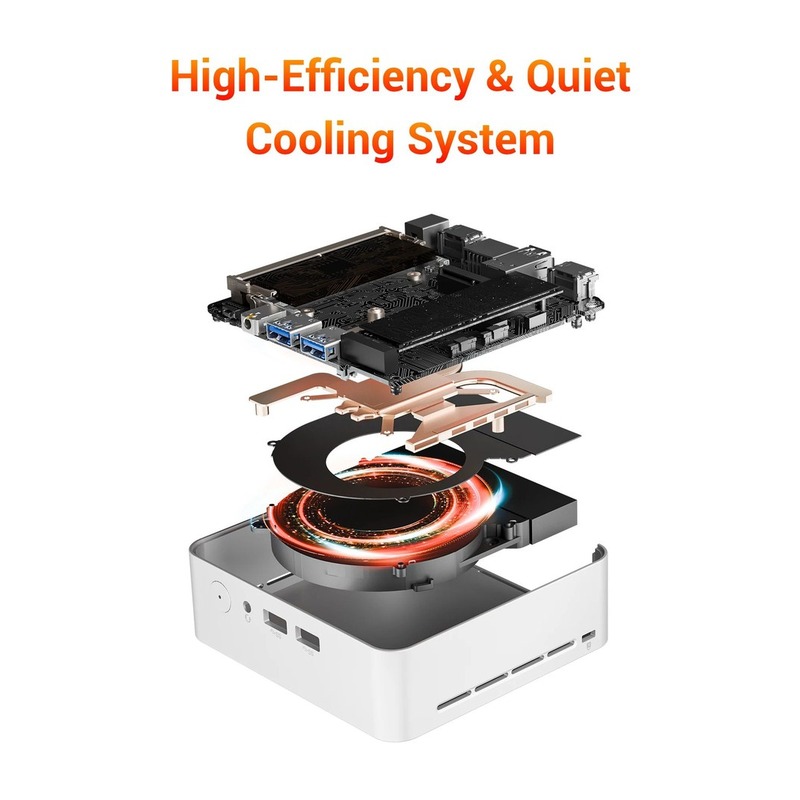
- Cooling placement: leave airflow space around vents for quieter and smoother performance.
Pros & Cons
Who should buy the FIREBAT R2 Mini PC?
- Students & office users: docs, browsing, meetings, study apps.
- Small desks: a compact PC that stays tidy and easy to place.
- Dual-monitor productivity: two screens for work + chat/dashboard.
- Home users: smooth media playback, web, and everyday tasks.
Who should skip it?
- Heavy gaming: you’ll want a dedicated GPU.
- Pro 3D/render workloads: look for stronger graphics hardware.
Quick setup tips (better speed + smoother Windows)
- Run Windows Update first, then reboot to apply drivers and security patches.
- Set the correct display resolution for both monitors in Windows settings.
- Keep vents clear and place it in a ventilated spot for cooler, quieter performance.
- If you use LAN, wired internet is usually more stable than Wi-Fi for meetings.
FAQ
Is the FIREBAT R2 Mini PC good for Office and browsing?
Yes. For documents, web browsing, video calls, and everyday multitasking, it’s a strong fit.
Can I upgrade RAM and SSD later?
Most listings show upgradeable RAM and expandable SSD storage. Confirm the exact variant before purchase.
Does it support Windows 11?
Many versions ship with Windows 11. You can verify requirements here:
Windows 11 specifications.
Trusted resources (official references)
Explore more computers & accessories on Armorzy
Want more mini PCs, laptops, monitors, and accessories?
Browse the collection here:
Computers, Laptops & Accessories
Final verdict: is the FIREBAT R2 Mini PC worth it?
If you want a compact Windows desktop for daily work, study, and a clean dual-monitor setup, the FIREBAT R2 Mini PC is a smart pick.
It’s especially appealing because you get a capable CPU (Ryzen 5 3500U), upgrade flexibility, and practical ports in a tiny box.
Just make sure you select the right RAM/SSD variant, and you’ll have a tidy machine that feels fast for everyday use.
Affiliate disclosure: This page contains affiliate links. If you purchase through them, we may earn a small commission at no extra cost to you.
Reviews
There are no reviews yet.